With the Genau Joggen you set a target time. For example: Can you complete your route in exactly 20 seconds? Whoever is closest to the allotted time wins.
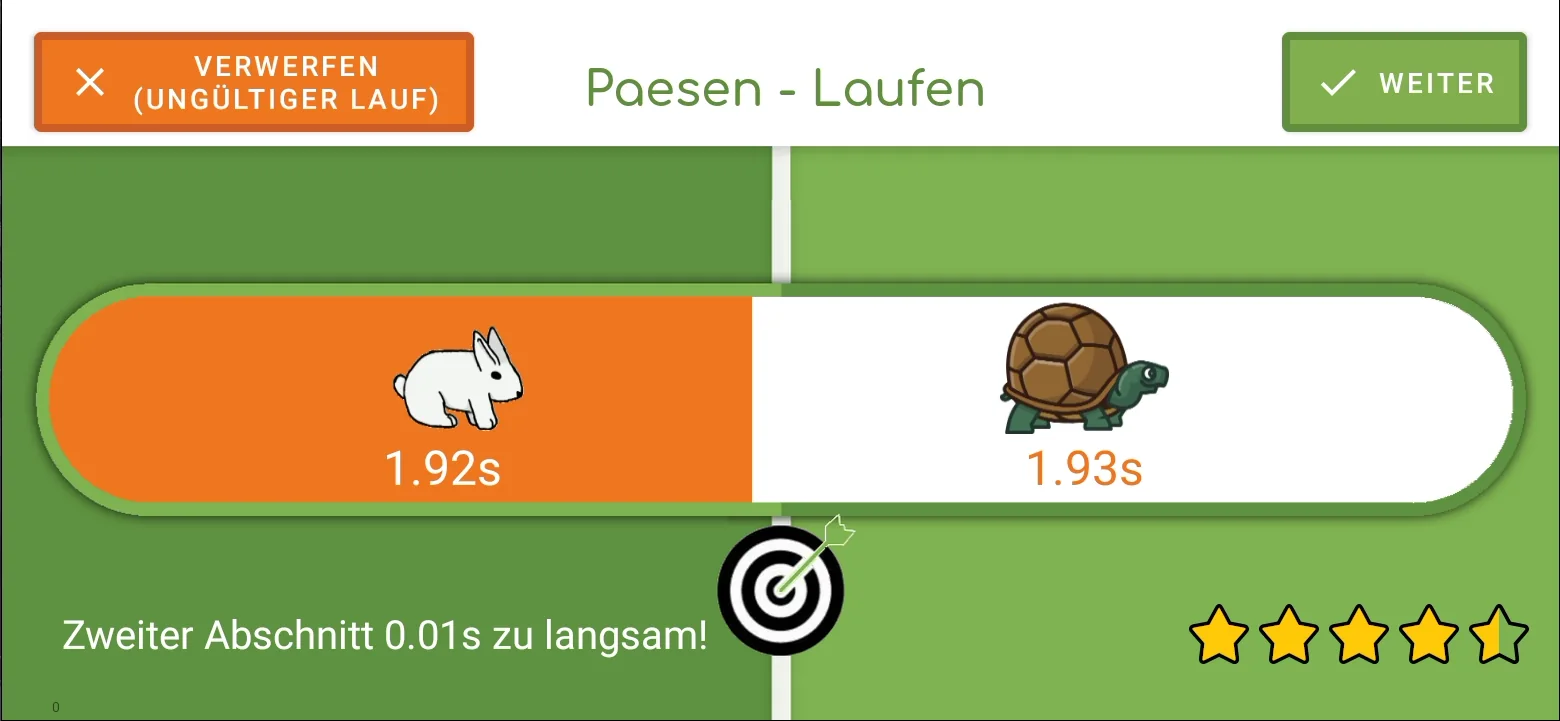
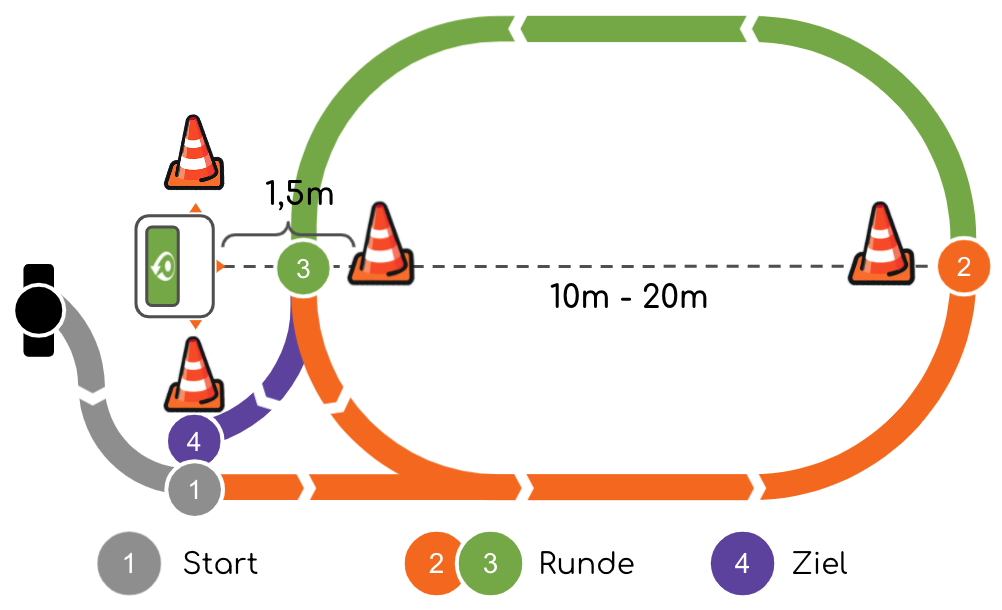
At the Paesen, the time counts up on the way there. Where you turn around, she runs backwards. Your goal is to start again from scratch. The target shows the deviation. The decisive factor is the same time for the journey there and back - not the highest speed.
Optical sensors record the run. The result can be assigned with a RFID bracelet. The display on the console helps you to classify your own attempt straight away and tackle the next one.
Game scope, accessories and included updates depend on the package you choose. You can find the specific information in the respective offer.
A class, a training group or the family: you decide the route, game and process. The types of measurements can be used to create teaching tasks, personal bests or your own tournament.
Try · Understand · Improve
Your result says more than one time.
Four examples, four different goals. This way you can see what your result means directly on the console.
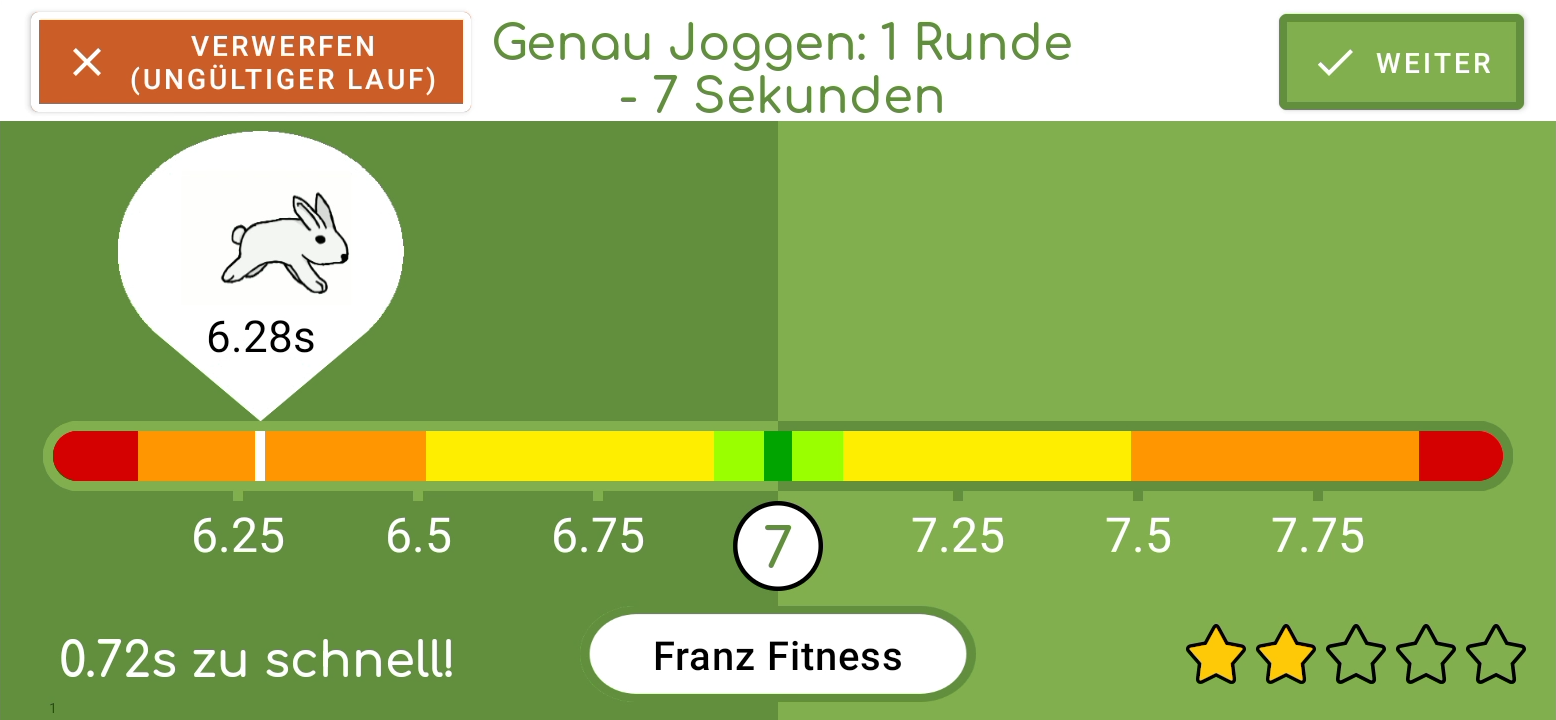
It's not the speed that matters, but the deviation. Animals and colors show direction; Stars rate the attempt. In the 7-second example: 0.72 seconds too fast results in two stars, 0.53 seconds too slow results in 2.5 stars. The evaluation belongs to this example.
Example: You turn after ten seconds. Then you have ten seconds to return - back to zero is your goal.
When you start running, the time counts up and counts down from your turn. The target shows how close you are to returning to zero. The smaller the difference between the way there and back, the smoother your run.
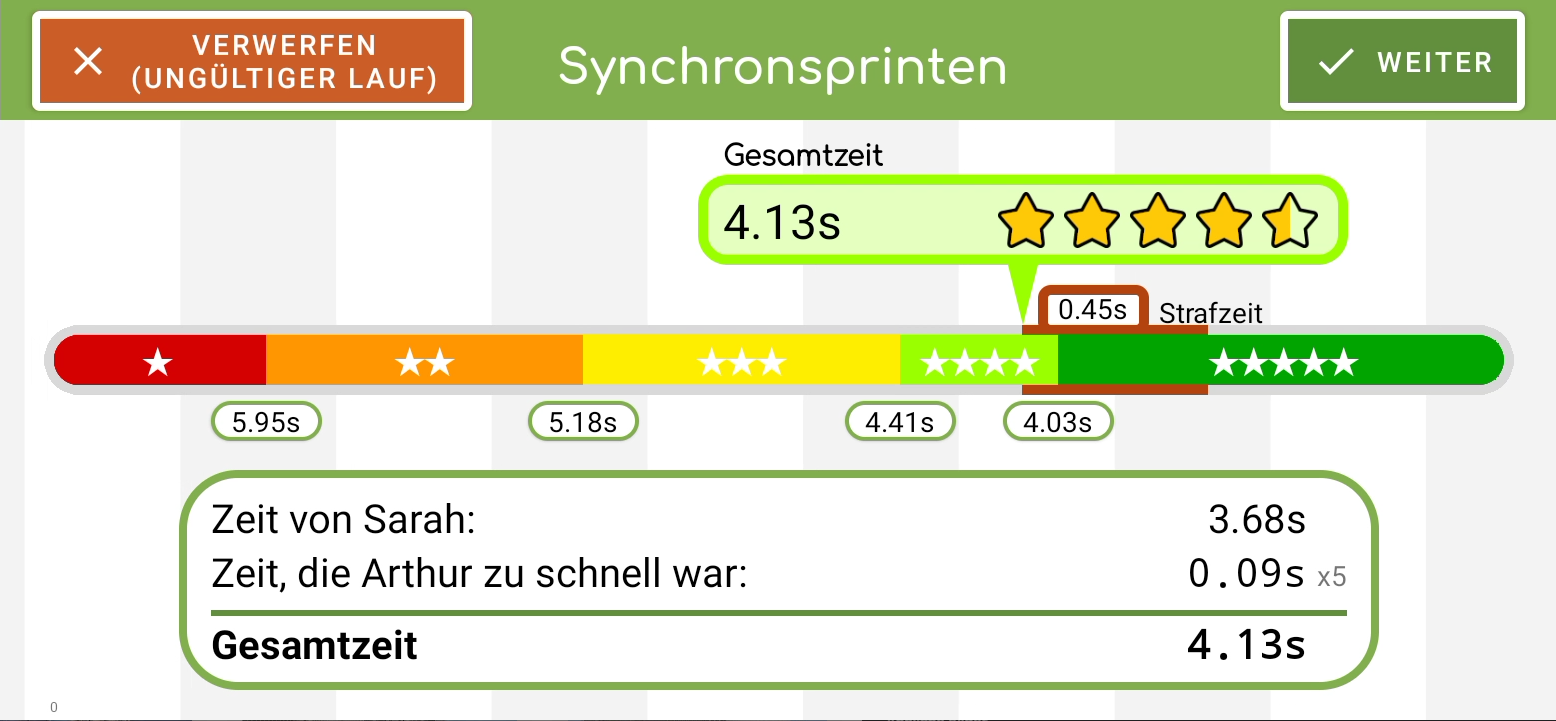
You run as a team. A longer time interval results in more penalty time. The evaluation shows how well you coordinate your pace.
The sections also count.
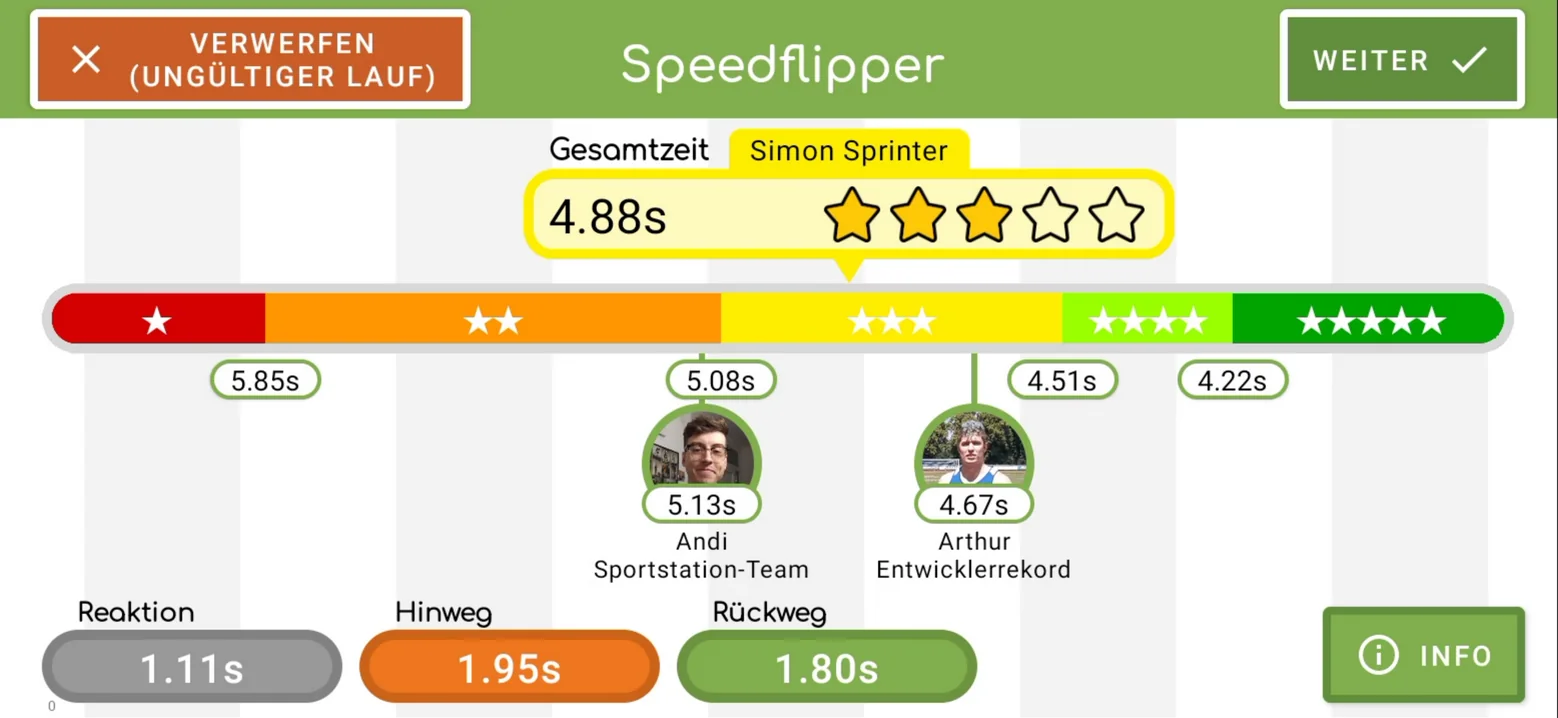
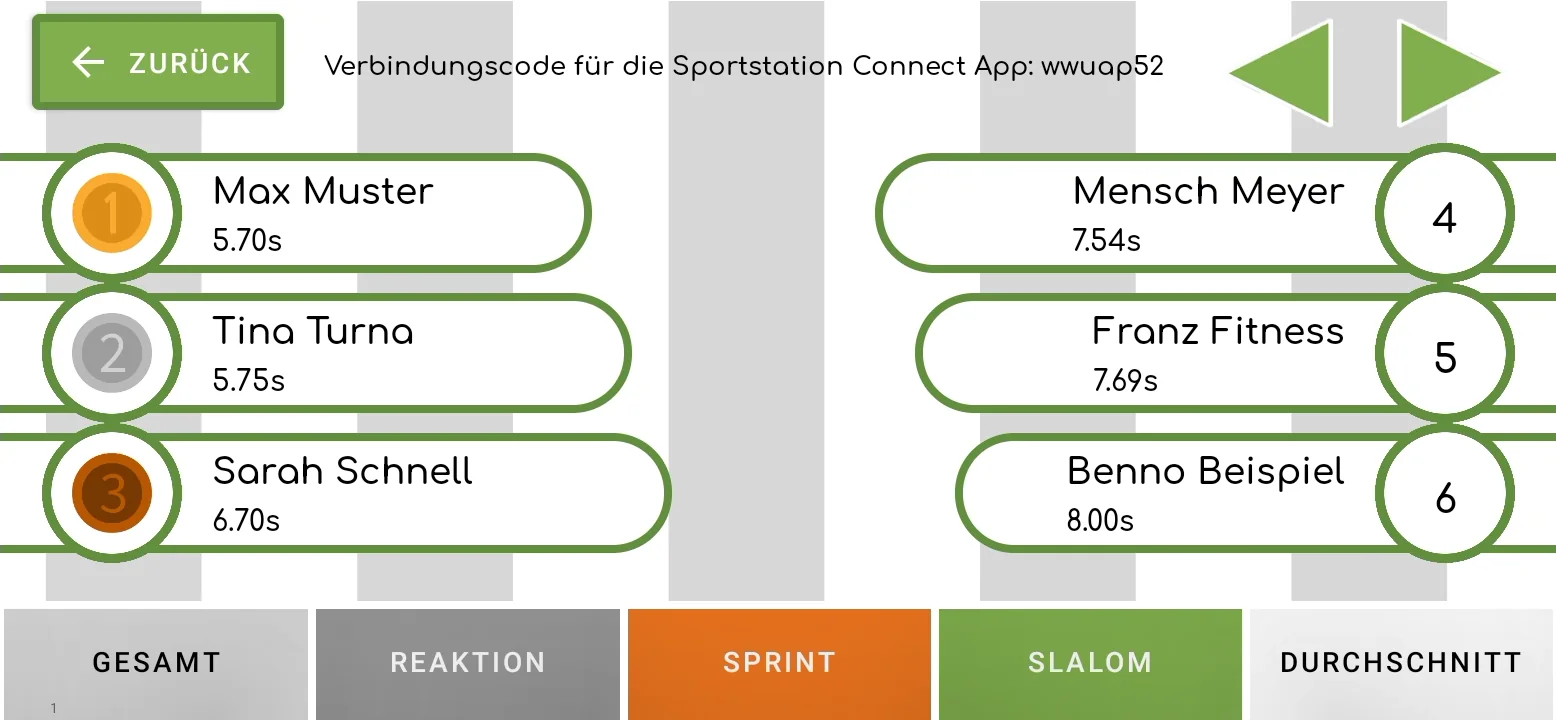
With suitable games, reactions and intermediate times can be compared - for example until the turnaround. Using scanned wristbands, results are assigned to participants and ranking lists are created.
Watch more in Connect.
The app shows live rankings and personal running statistics, such as the number of runs you have done and your best time in the 30-meter sprint. This way you can view results while the others continue.
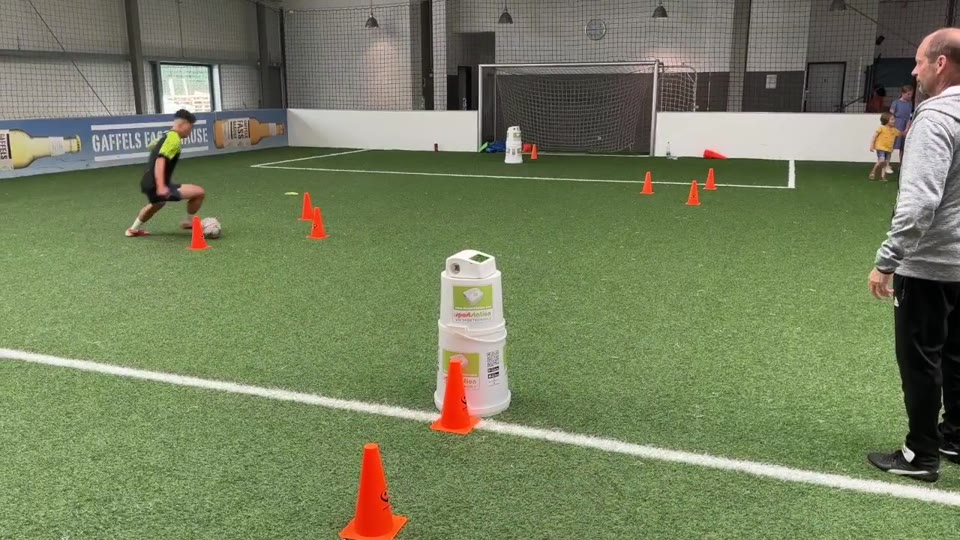
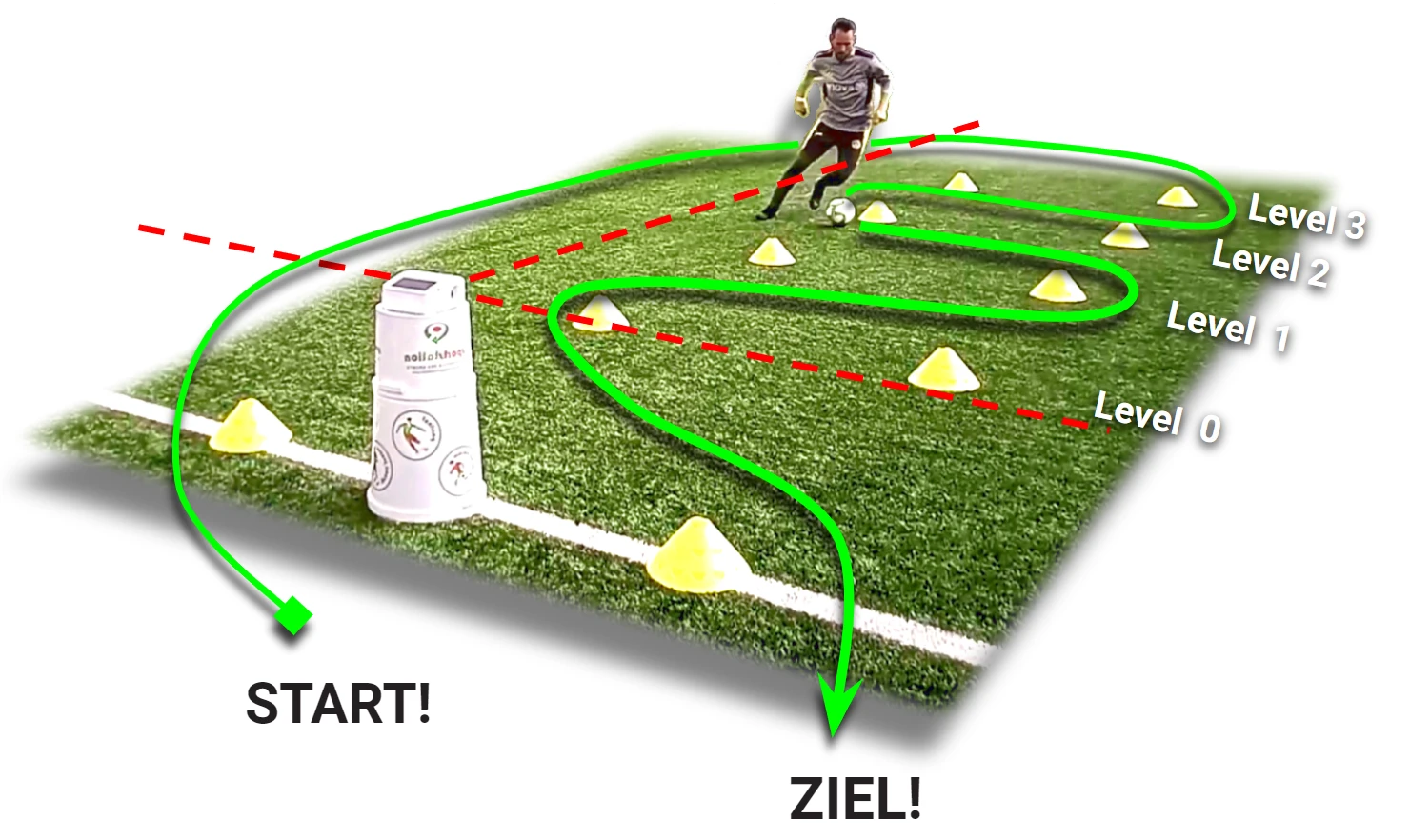
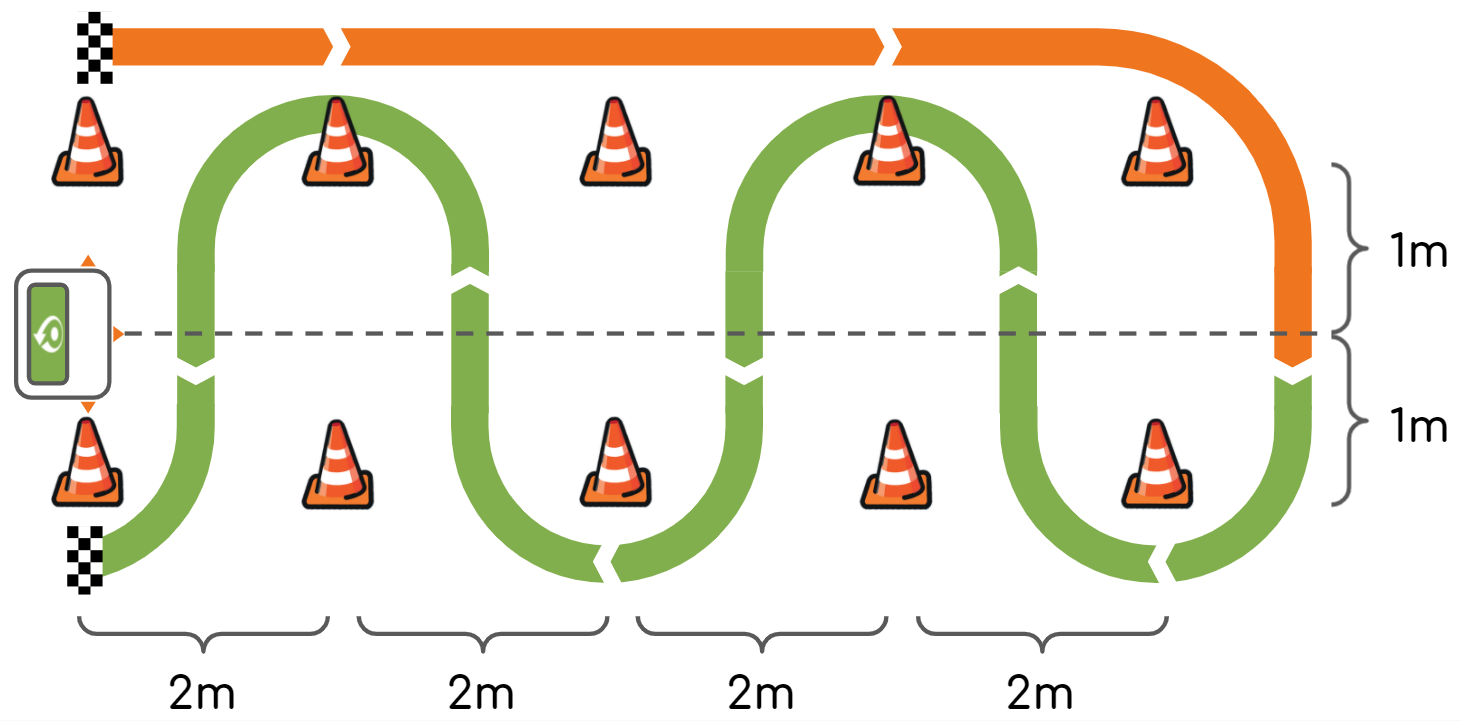
Dribble with the ball through the cone course. Getting started is easy - the challenge increases with each level.
The green line shows the route. Click on the original graphic to enlarge.
From start to finish.
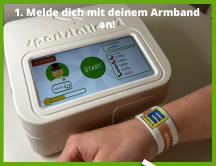
Scan bracelet. Before each run, log in with your personal NFC band so that your result is assigned to your profile.
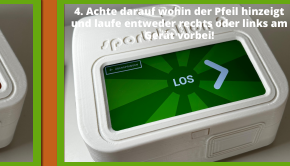
Follow the route. Look at the arrow that lights up on the console: it shows you whether you are running the route to the right or left. Dribble around the cones in the indicated direction and back to the finish. The length of the route depends on your level.
Listen to intermediate times. The sportstation records movement in three directions. When crossing a measuring line, a beep sounds and the intermediate time is recorded.
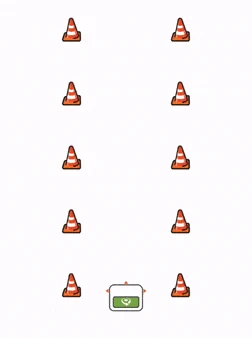
View result. After the run, the evaluation and stars appear on the console. With higher levels, another row of cones is added.
Choose your level. Press the orange starting point, hold down the mouse button and follow the green line to the finish. Stay on the path – shortcuts don’t count. On your cell phone you can do it with your finger.
0.00s
Ready? Press the starting point at the bottom right.
Best time: not yet a valid attempt.
A little reaction and skill game on the screen. Time is not a sporting performance value.
Explained in the film
Diyar & Ewald Lienen. Megadribbler in practice.
The explanation of the game with YouTube creator Diyar and football coach Ewald Lienen shows the challenge directly on the pitch.
Register your bracelet once, then log in and play every time you try. The task and evaluation depend on the game chosen.
Prepare once
Your band. Your profile.
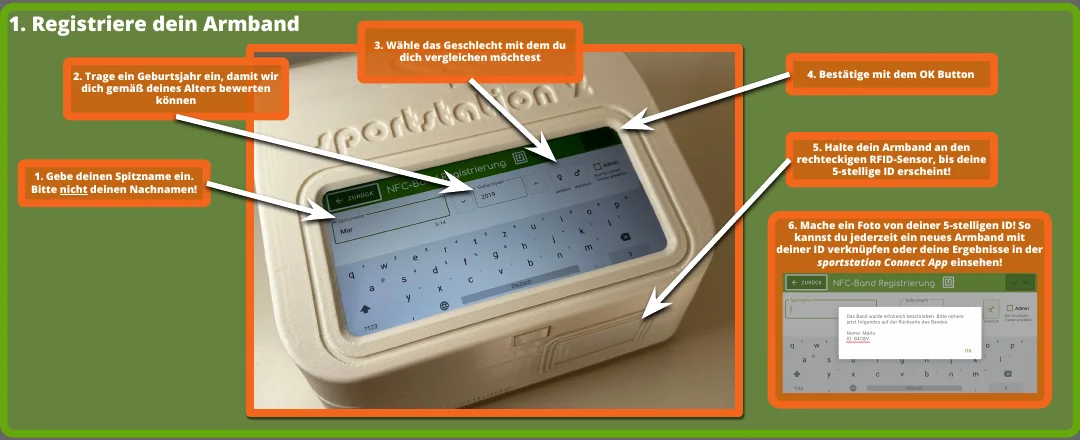
Enter nickname instead of last name, year of birth and comparison group, confirm and hold the bracelet up to the reader. Keep the displayed ID for the Connect app.
01
Register bracelet.
Hold your tape to the reader before each attempt. The console recognizes your profile.
02
Press START.
Confirm start and get ready. The ad will guide you through the beginning.
03
Play and move.
Pay attention to the directional arrow and complete the task of the chosen game: quickly, accurately or evenly.
04
View result.
The evaluation appears directly on the console. Depending on the game, you can see time, deviation or team performance - plus your stars.
It continues in Connect: Track live rankings, view personal statistics and design your avatar. To do this, connect your bracelet profile to the app. Discover Connect →
Evaluation example · Genau Joggen
How close are you to your target time?
With Genau Joggen, the deviation from the specified time counts. The animal and color scale below belongs to this game. The evaluation looks different with a sprint or with Paesen.
This is how you read your evaluation.
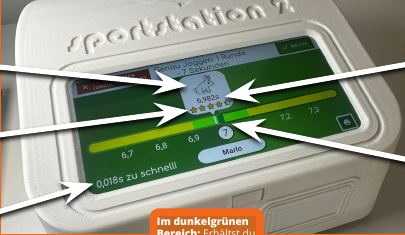
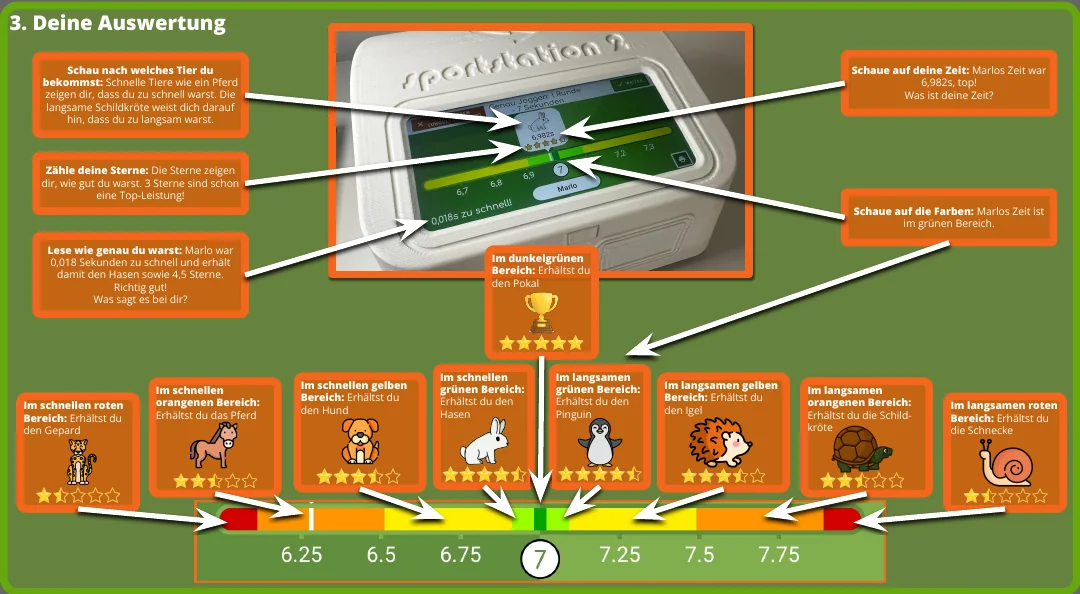
Example: 7 seconds is the goal. Marlo runs 6.982 seconds: he is only 0.018 seconds too fast. The evaluation shows the rabbit, the green area and 4.5 stars.
Original graphic · click to enlarge. The times shown are for this 7 second example.
Too fast
From far away to close to the goal: Cheetah → Horse → Dog → Rabbit.
In the target area
The cup represents the dark green target area. The closer you are to the target time, the better the rating.
Too slow
From close to the goal to far away: penguin → hedgehog → turtle → snail.
The colors help with classification: red is further away from the target time, orange and yellow lead to green. The stars sum up the performance. In Connect, colored stat tiles also show your progress.
This is how Gifhorn turns it into a city championship.
At the Gifhorn City Championship 2024 the task was: Genau Joggen with a target time of 7 seconds. A practical example of how a sense of time becomes its own challenge.
You can use the idea within your own framework for your school: set a target time, practice and celebrate an internal school finale.

 Enlarge original view ↗